Remote VPN Regular VPN
Every site you open takes a detour through the VPN provider's servers. You have to trust that they don't log or sell your data.
Local VPN · We never see what you browse
GreenTunnel VPN does everything right on your device: DPI bypass, secure DNS, ad and scam blocking. No middleman servers, no account needed, and we never collect what you browse.
New Free for Mac, Windows, Linux, Android, iPhone and iPad. On a phone? Go straight to the TestFlight beta or Google Play.
Demo — give it a tap
Off
Tap to turn on
Just an illustration — it doesn't change your connection.
Inside the app
Real screens from the iPhone and Mac apps. Android and Windows look the same.
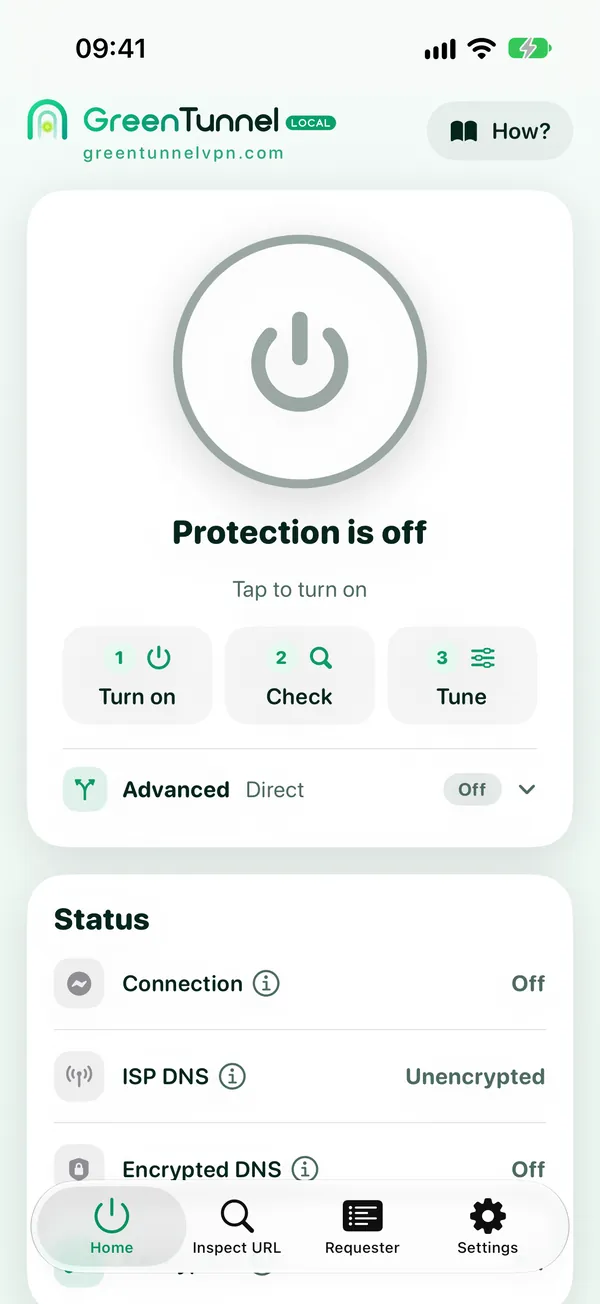
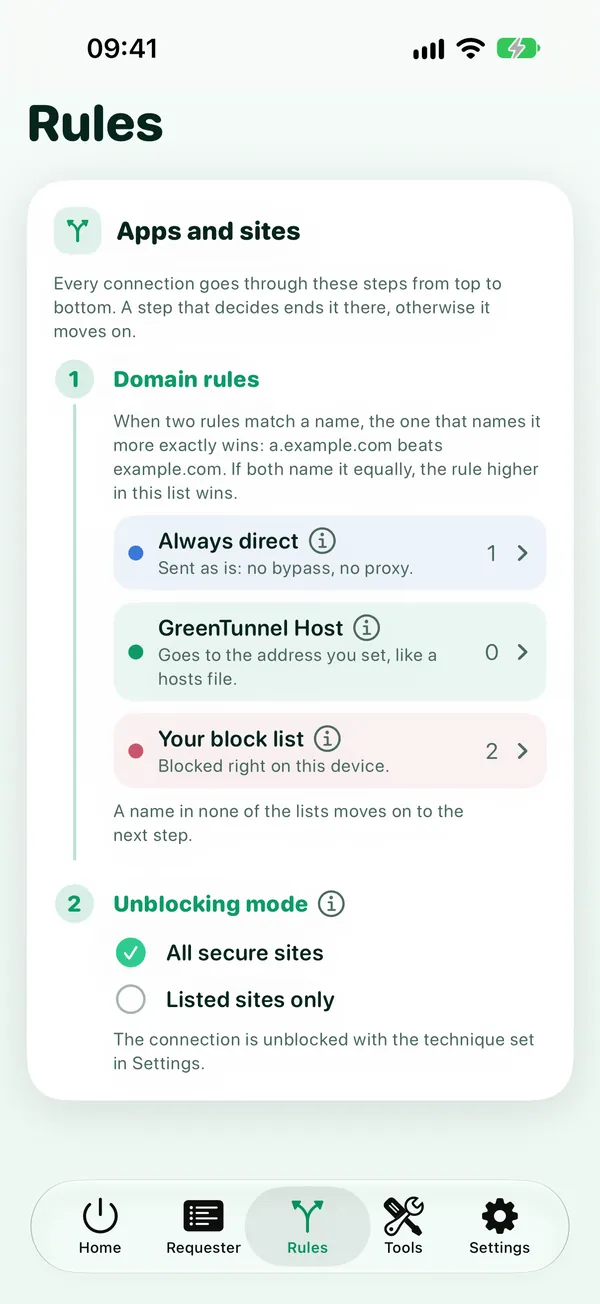
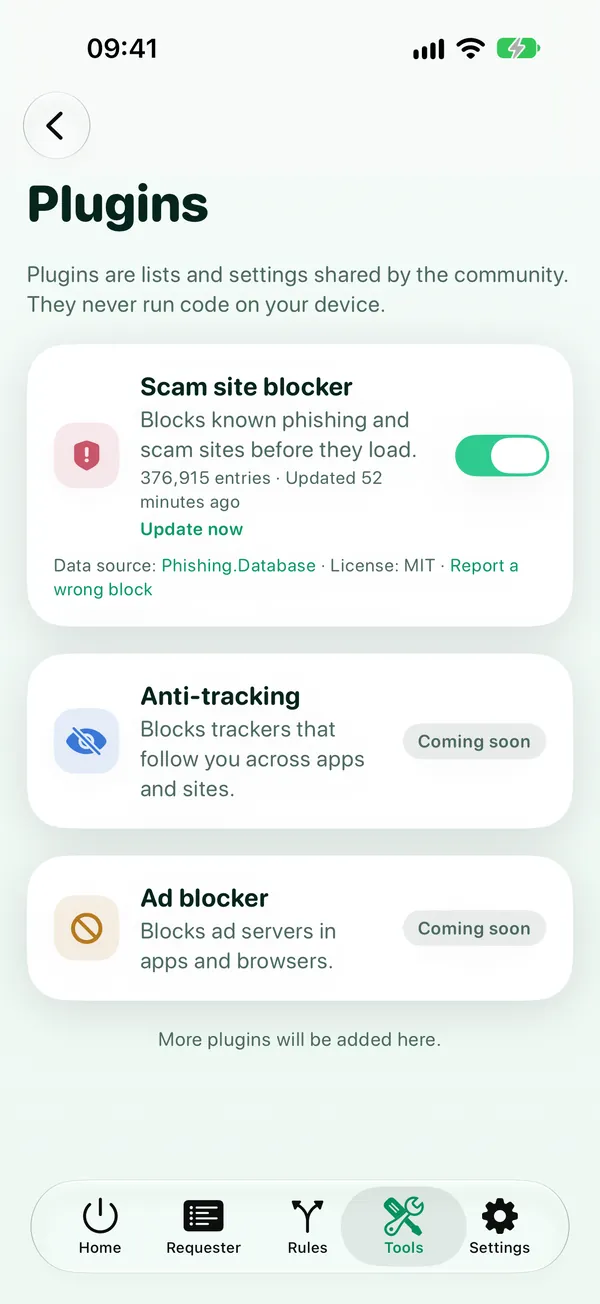
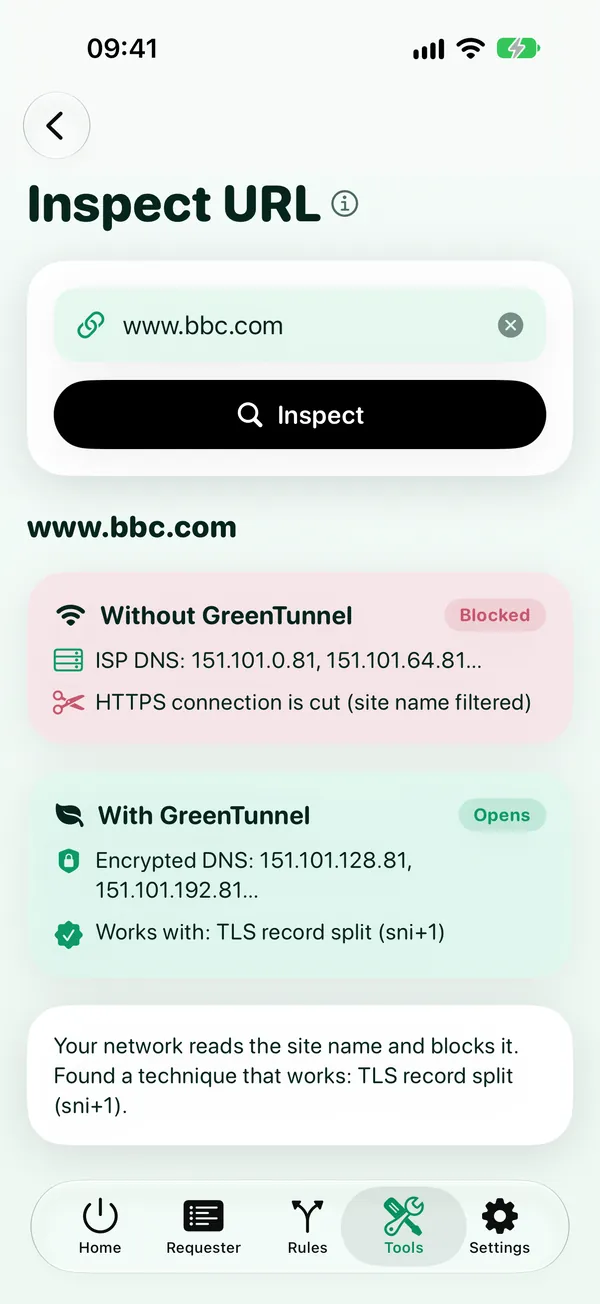
Local VPN vs Remote VPN
A regular (remote) VPN sends all of your traffic to another company's servers. GreenTunnel is a local VPN: it uses the operating system's VPN permission only to process packets on your device, then lets the connection go straight to the website.
Every site you open takes a detour through the VPN provider's servers. You have to trust that they don't log or sell your data.
GreenTunnel runs inside your device. Connections go straight to the website — there is no server in the middle to see or store your data.
| Criteria | Remote VPN | GreenTunnel (Local VPN) |
|---|---|---|
| Where your traffic goes | ✕Through the VPN provider's servers | ✓Straight from your device to the website |
| A middleman sees what you visit | ✕The VPN provider can | ✓No new middleman at all |
| Data collection | !Depends on the policy, and many keep logs | ✓Never your traffic or browsing, only app usage and crash reports |
| Account | ✕Usually required (email, payment) | ✓Optional, only to keep Premium on all your devices |
| Speed and latency | !Depends on the server and distance | ✓Almost unchanged |
| Battery | !Re-encrypts all traffic | ✓Only touches the first packet of each connection |
| DPI bypass | ✓Yes | ✓Yes |
| Secure DNS | !Depends on the provider | ✓DoH / DoT, your choice of server |
| Hide your IP, change country | ✓Yes | —No — that is not its purpose |
| Cost | !Usually a monthly fee | ✓Free, with optional Premium |
Need anonymity or a different location? A remote VPN is the better fit. Want free, fast and private access without handing your data to a third party? Choose a local VPN.
Data flow
Everything below happens in your device's memory, in a few milliseconds. No step sends your data to us.
The operating system hands app traffic to GreenTunnel through a local VPN interface. Nothing leaves the device at this step.
Domains are resolved via DoH/DoT with the DNS server you choose, so your ISP can't hand back a fake address.
Ad, tracker and scam domains are blocked right on the device, based on the plugins you turned on.
The first packet is split so DPI filters can't read the domain. The rest of the connection goes straight to the website, still encrypted.
DPI bypass & secure DNS
DPI (Deep Packet Inspection) filters read the domain name in the first packet of every HTTPS connection. Unencrypted DNS can be answered with a wrong address. GreenTunnel handles both, without any server.
Straight talk: GreenTunnel doesn't hide your IP address and isn't an anonymity tool. If a site is blocked by IP address, the app detects it and tells you clearly.
Features
What you need for a safer connection every day — nothing more.
Splits or reorders the first TLS/HTTP packet so filters can't read the domain. Diagnoses your network and picks the strategy that works on it.
Domain lookups are encrypted, stopping DNS spoofing and redirects. Automatically switches to a backup server if one gets blocked.
Blocks ad, tracker and scam domains on the device, for every app — nothing extra to install in your browser.
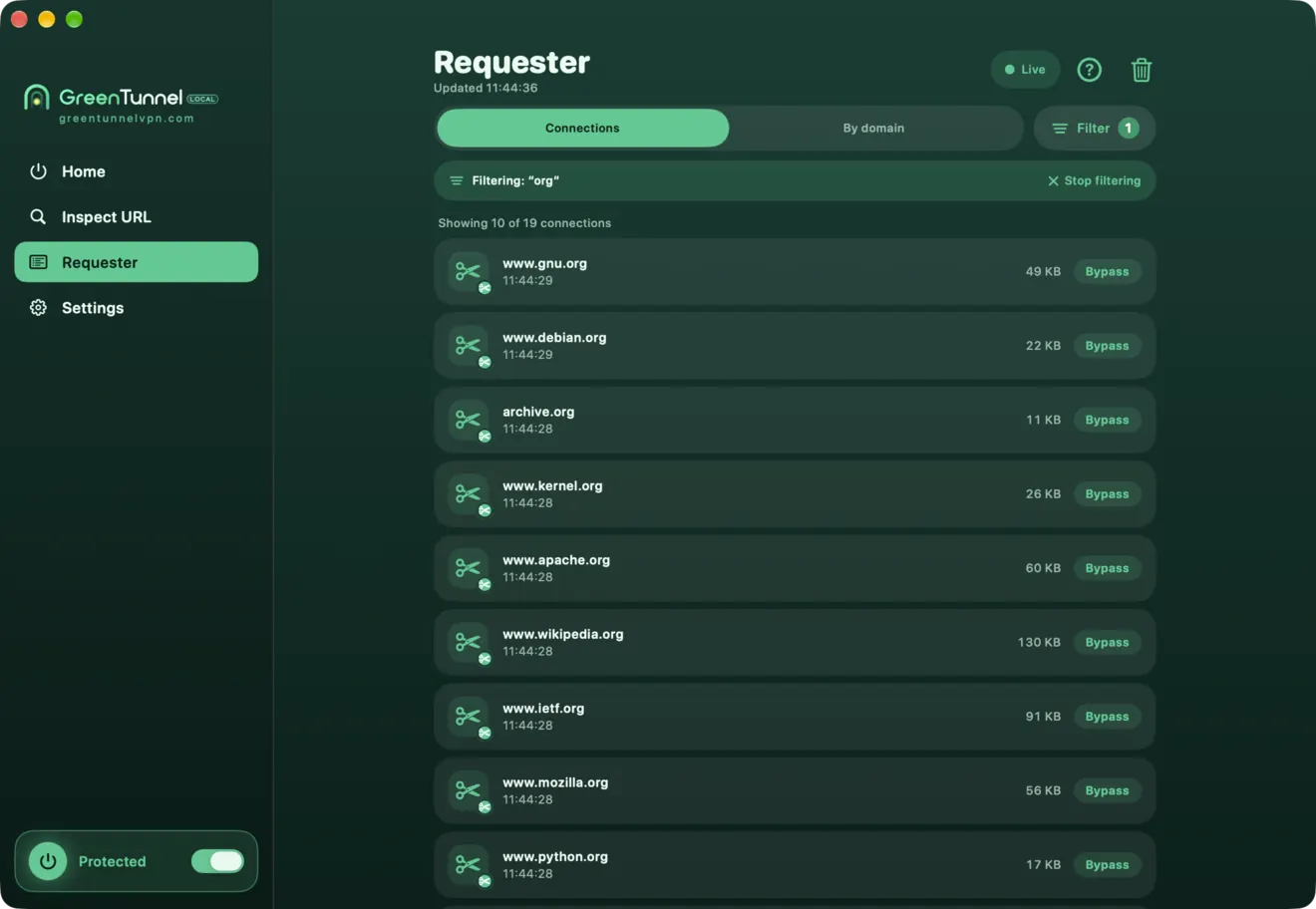
See which app connects to which domain, in real time. Only domain names are shown — HTTPS content is never decrypted.
No detour through a server, no re-encrypting all your traffic. GreenTunnel only touches the first few bytes of each connection.
One tap from a widget, Quick Settings, Control Center, the lock screen, the menu bar, the system tray or the Chrome extension.
Requester
A live list that stays on your device. Tap a row to always allow, always unblock or report a mistake.
Privacy
Not just a promise: GreenTunnel processes your traffic, DNS lookups and connection log on your device, so they never reach us. The app only sends basic usage events and crash reports, plus what optional sign-in, purchases and ads in the Android app need. The privacy policy lists all of it.
Plugin
Plugins are simple lists and settings — never code that runs on your device. Every plugin is reviewed by the GreenTunnel team before release.
Blocks common ad and tracking domains at the DNS level, for every app.
Warns about and blocks scam and phishing sites based on public lists, for example from ChongLuaDao.
Suggested unblocking strategies for each ISP, verified on real networks.
Ready-made settings for trusted encrypted DNS servers, switched with one tap.
ISP and organisation names only describe plugin content. GreenTunnel is not affiliated with them.
Platforms
Turn it on and off the way that feels most natural on each device.
FAQ
Straight answers, including what GreenTunnel doesn't do.
A remote VPN routes all of your traffic through the provider's servers, so the provider can see where you go. GreenTunnel is a local VPN: it only uses the operating system's VPN permission to process packets on your device, then connects straight to the website. There is no middleman server.
Never what you browse. Your traffic, DNS lookups and the connection log stay on your device, and no server of ours receives your traffic. The app sends basic usage events and crash reports without domains, URLs or IP addresses. Signing in is optional. The privacy policy lists everything.
No. Because nothing goes through a server, websites still see your real IP. GreenTunnel is not an anonymity tool. If you need to change location or hide your IP, use a remote VPN.
No. GreenTunnel only changes how the first packet is split and sent. The encrypted content between you and the website is untouched, and the Requester feature only shows domain names.
Operating systems only let apps process network traffic through the VPN permission. GreenTunnel uses it to run a local VPN on your device. Your traffic is never sent to us, and we run no VPN servers.
Barely. GreenTunnel only processes the start of each connection and doesn't re-encrypt all your traffic like a remote VPN, so speed stays almost the same.
GreenTunnel already sends Vietnamese banks, e-wallets and payment services as is, and when a server refuses a reshaped connection it retries with a gentler technique. If an app still fails, add its domain to Always direct in Settings, or open Requester, tap one of the app's connections and turn on Always direct. That domain is then sent as is and still uses encrypted DNS. Still not working? Use Contact support in the app or write to [email protected].
GreenTunnel is a tool for privacy, secure DNS and scam protection. Rules about network use differ from place to place, and you are responsible for complying with the laws where you live.
Yes. Every core feature is free. The free Android app may show a few ads, personalized only if you allow it. The iPhone, iPad and Mac apps show no ads. An optional Premium plan adds Proxy Route, Tunnel Link and the per-app filter in Requester, and removes ads on Android.
GreenTunnel VPN is available now on Android, iPhone, iPad, Mac, Windows and Linux. The Chrome extension is coming soon.