What is DPI? How SNI blocking works and how splitting beats it
DPI filters read the site name in the first HTTPS packet. Learn what SNI is, how TLS record splitting makes the filter miss it, and what it can't fix.
You type in a site's address, the browser spins for a few seconds, then says "connection reset" or "this site can't be reached". DNS is fine, the server is up, yet the connection dies right at the start. There's a good chance you've just met a DPI filter. This post explains what DPI sees, why splitting a single packet is often enough to make it miss, and where that trick stops working.
What is DPI?
DPI (Deep Packet Inspection) is hardware or software placed on an ISP's network. Unlike an ordinary router, which only looks at where a packet comes from and goes to, DPI also reads the data inside the packet. That lets it recognise which site you're opening and block it against a list.
With HTTPS, the page content is encrypted, so DPI can't read it. But there's a gap: just before encryption starts, the browser has to tell the server which site it wants.
SNI: the site name in the very first packet
Every HTTPS connection starts with a TLS handshake. The first packet the browser sends is the ClientHello, and inside it is the SNI (Server Name Indication) field holding the domain, for example example.com. The field exists because one IP address usually serves many sites, and the server needs to know which one you want so it can present the right certificate.
The catch is that SNI travels in plain text. A DPI filter only has to read a few dozen bytes at the start of each connection, compare them to a list, then inject a reset or drop the connection. It's cheap, fast, and doesn't affect other sites sharing the same IP, which is why it's so common.
Splitting: show DPI one piece at a time
DPI filters handle huge volumes of traffic in real time, so many of them skim the first packet and don't reassemble data that has been cut up. A web server is different: following the TCP and TLS standards, it always puts the pieces back together before reading. GreenTunnel uses exactly that difference.

sni+1 means right after the first character of the domain name.TLS record split (the default)
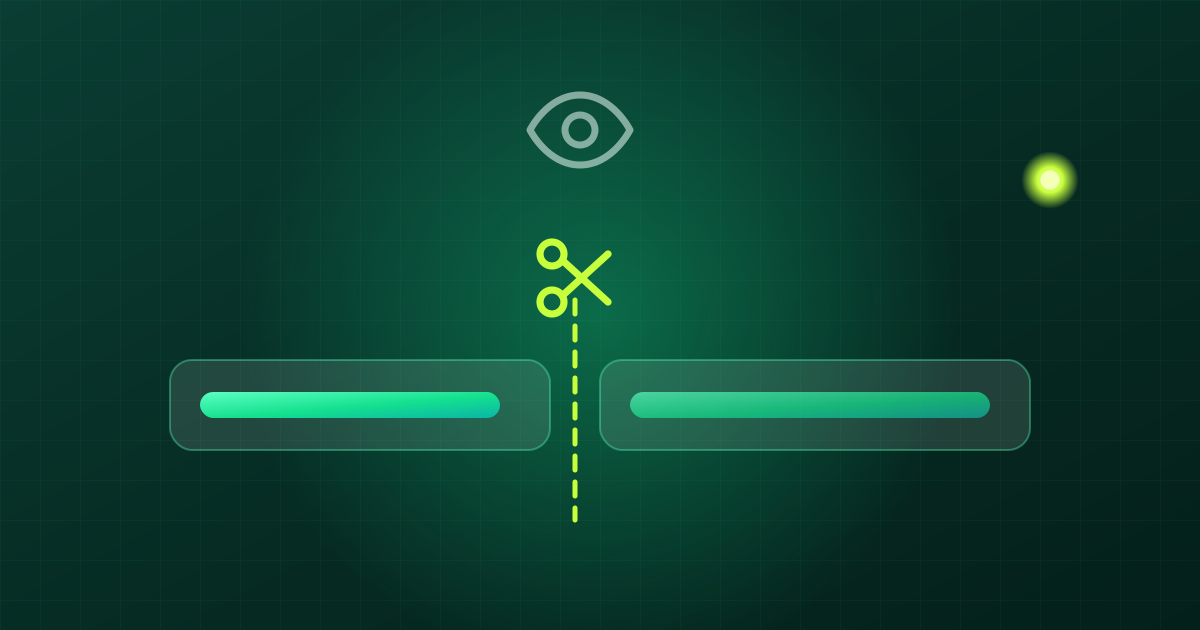
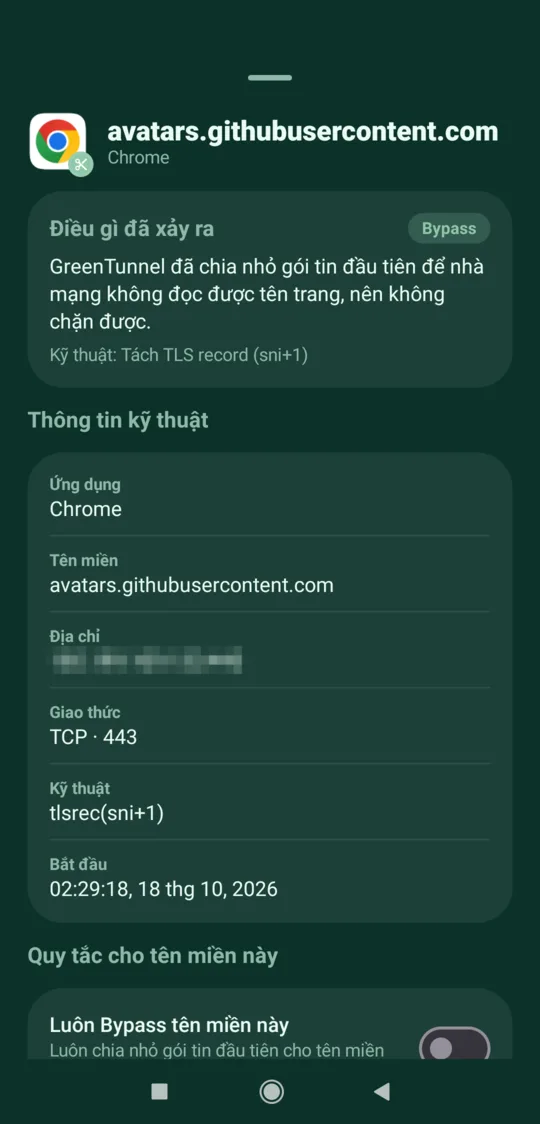
TLS data is wrapped in "records", each with a 5-byte header. Normally the whole ClientHello fits in one record. GreenTunnel splits it into two records right after the first character of the domain. The TLS standard allows this, so the server joins them without complaint. A filter that only reads the first record, however, sees an unfinished name: just "e".
This is GreenTunnel's default technique, written tlsrec(sni+1). It's light and rarely breaks anything.
TCP split
Instead of splitting the record, the engine sends the first bytes as two separate TCP segments: it sends the first part, flushes it right away, then sends the rest. A filter that doesn't reassemble TCP never sees the full name. The two methods can be combined, for example tlsrec(sni+1)+split(sni+1).
Heavier techniques
The engine also has stronger options, such as sending pieces out of order or inserting an urgent (OOB) byte. They're for networks where the light methods aren't enough, and support differs by platform. You don't have to choose by hand: Inspect URL tries them from lightest to heaviest and suggests the one that works on your network.
Turning it on and tuning it
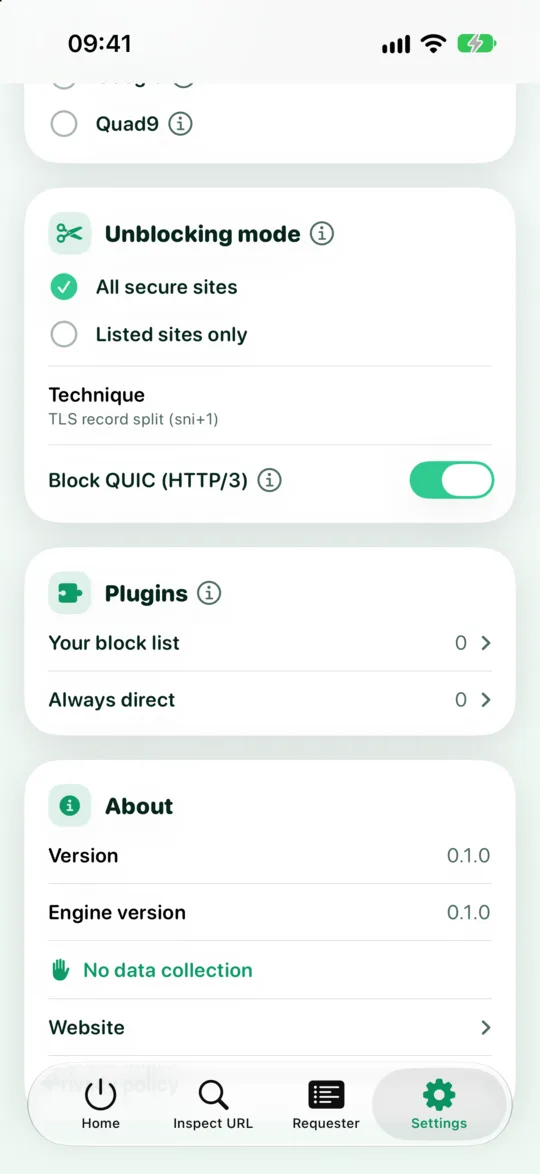
Under Settings → Unblocking mode you have two choices:
- All secure sites (default): a light TLS record split for every HTTPS connection. It rarely causes problems.
- Listed sites only: only sites you add to "Sites to unblock" get split.
The Technique row shows the chain in use, with a reset button if you've changed it. Banking sites or sensitive apps can go on the "Always direct" list so they are never split.
What splitting can't do

- IP blocking: if the ISP blocks the server's IP outright, packets don't get through whether they're split or not. You need to go through another server, such as Proxy Route or Tunnel Link with a server you trust.
- DPI that reassembles: some filters do put the pieces back together before reading. Then heavier techniques are needed, and on some networks no local technique works yet.
- Fake DNS: if your ISP hands back a wrong address, you never reach the real server in the first place. That's the job of encrypted DNS, which GreenTunnel turns on for you.
- QUIC/HTTP3: QUIC runs over UDP, so there's no first TCP packet to split. GreenTunnel blocks QUIC by default so browsers fall back to TCP. See our post on QUIC.
- Hiding your IP: splitting doesn't change your IP. See local VPN vs remote VPN.
FAQ
Does splitting make websites slower?
Only the first packet of each connection is cut up. Everything after it goes through untouched. One extra small packet at the start of a connection makes practically no difference to page load time.
Can my ISP tell I'm doing this?
A ClientHello split into two records is valid by the standard, but unusual. A filter built to look for that pattern could, in theory, notice it. GreenTunnel isn't designed to hide the fact that you use it.
Why do some sites still not open with GreenTunnel on?
The site may be blocked by IP, or your network may use a stronger filter. Run Inspect URL to see exactly why.
Does ECH make splitting unnecessary?
ECH (Encrypted Client Hello) encrypts the site name too, so when both your browser and the site support it, DPI can no longer read the SNI. Many sites don't support ECH yet, so splitting is still useful.