Routing rules: pick a route by domain or by app
Streaming through WireGuard, banking direct, one app through the office proxy. How GreenTunnel's rules work and the order it uses to decide each route.
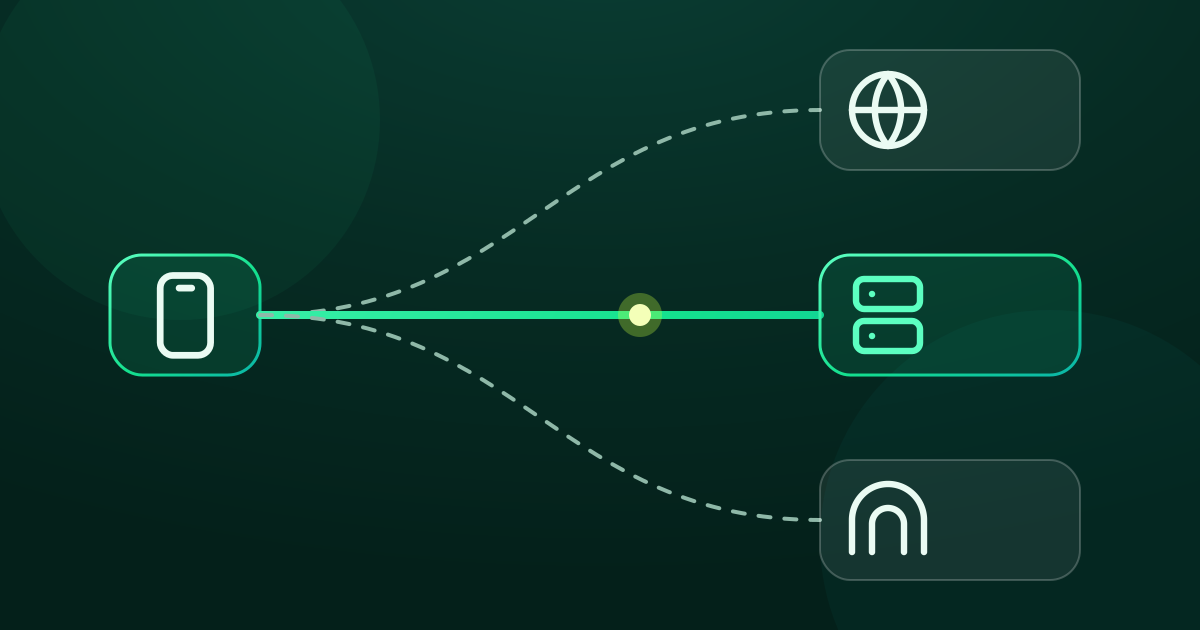
With Proxy Route and Tunnel Link you pick one route for all traffic. Real life is rarely that tidy. You want your streaming service to go through a server abroad, but your banking app to go direct. You want your work app to use the office proxy, but not your social feeds. That's what rules are for.
Which way does each connection go?
For every new connection, GreenTunnel walks a fixed checklist and stops at the first step that matches:

- Block lists and plugins. Ads and scam sites are stopped right away, and nothing is sent.
- Always direct. Domains in this list (in Settings) go straight out: no proxy and no packet reshaping.
- Rules, in the exact order of your list. The first rule that matches picks the target.
- The selected route in the Advanced card, if it's a proxy or tunnel profile.
- Direct, with DPI bypass: what GreenTunnel does when you configure nothing.
Note a small but important difference: a rule whose target is Direct still gets DPI bypass as usual. Only the “Always direct” list skips packet reshaping too.
Creating a rule
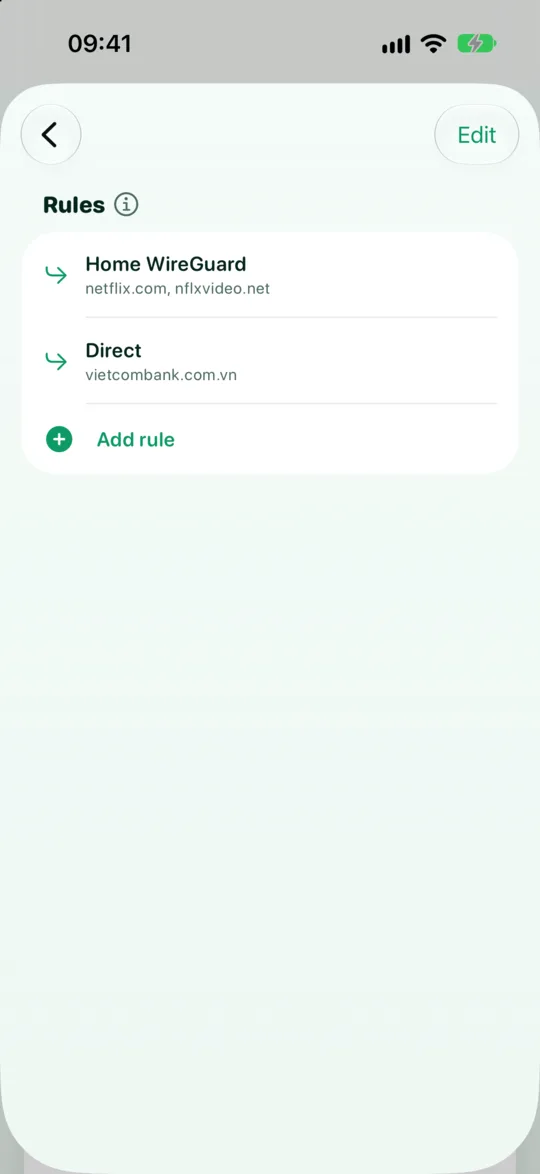
- Open the Advanced card under the power button, tap Configure, then tap Rules.
- Tap Add rule.
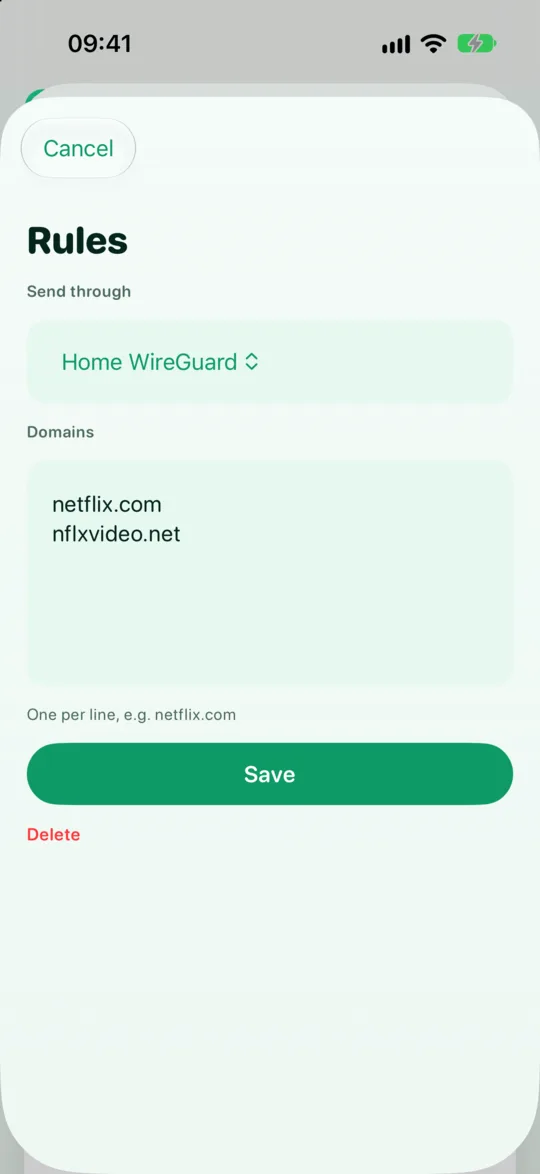
- Under Send through, pick the target: Direct or one of your saved profiles (proxy or WireGuard).
- Enter Domains, one per line, and/or (on Android) tap Choose apps.
- Save. GreenTunnel reloads at once, and new connections follow the new rule.
How domains match
A domain matches itself and all of its subdomains. Writing example.org, .example.org or *.example.org gives the same result: www.example.org and cdn.example.org both match. Big services often use several different domains (the main site, video servers, image servers), so list them all. The easiest way to find them is to open the service and watch which domains it connects to in Requester.
App rules (Android)
On Android you can pick apps from the list of installed apps. Every connection from that app follows the rule, whatever domain it connects to. A rule with both domains and apps matches when either one matches.
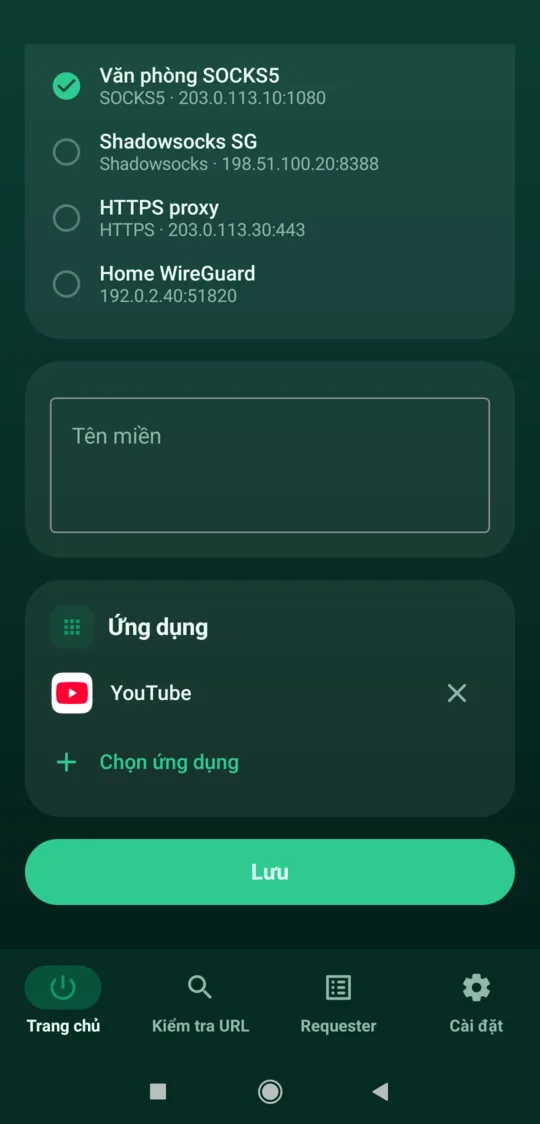
On iOS and iPadOS, the system doesn't tell VPN apps which app a connection comes from, so GreenTunnel supports domain rules only there.
Three real-world examples
Streaming through WireGuard
You have a WireGuard server abroad and want only your streaming service to use it. Keep Direct as the default route and add a rule: target your WireGuard profile, domains set to the service's domains (for example netflix.com and nflxvideo.net). Everything else stays direct, fast and with DPI bypass. Because WireGuard carries UDP, that service's QUIC traffic goes through the tunnel too.
Banking direct while a proxy is on
If a proxy abroad is your default route, your banking app might see a sign-in from an unfamiliar IP. Two options:
- Add the bank's domains to Always direct: no proxy and no packet reshaping. This is the safest choice for banking.
- Or create a rule with target Direct for the banking app (Android). It goes direct but still gets DPI bypass.
One app through the office proxy
Your internal work app only works through the company proxy, but you don't want everything else going through it. On Android, create a rule targeting your “Office proxy” profile and choose just that app. On iOS, use the company's internal domains instead of the app.
Good to know
- Order matters. Put specific rules above general ones. Use move up / move down (or drag) to reorder.
- Deleted profiles: a rule that points to a profile that no longer exists is treated as Direct.
- QUIC per rule: if a rule's target can't carry UDP (an HTTP proxy, say), QUIC is blocked for those connections and browsers switch to TCP. See QUIC/HTTP3 blocking.
- No fallback: if a rule's proxy or tunnel fails, the connection fails instead of going direct. See no leaks when your proxy fails.
Routing rules are part of the GreenTunnel VPN app. See all features on the home page.
FAQ
What if two rules match the same site?
The higher rule wins. GreenTunnel stops at the first matching rule and checks no further.
Why are there no app rules on iPhone?
iOS doesn't tell VPN apps which app a connection belongs to. That's also why Requester groups connections by domain on iOS, and rules use domains only.
Can I mix proxies and WireGuard in one rule list?
Yes. Each rule has its own target: one rule through a proxy, another through the tunnel, another direct.
How is “Always direct” different from a rule with target Direct?
“Always direct” is checked before every rule and also skips packet reshaping. A Direct rule still gets DPI bypass.