What is ECH? Encrypting the site name in the first HTTPS packet
ECH (Encrypted ClientHello) hides the site name from DPI filters. How it works, why it isn't everywhere yet, and how it pairs with GreenTunnel's split.
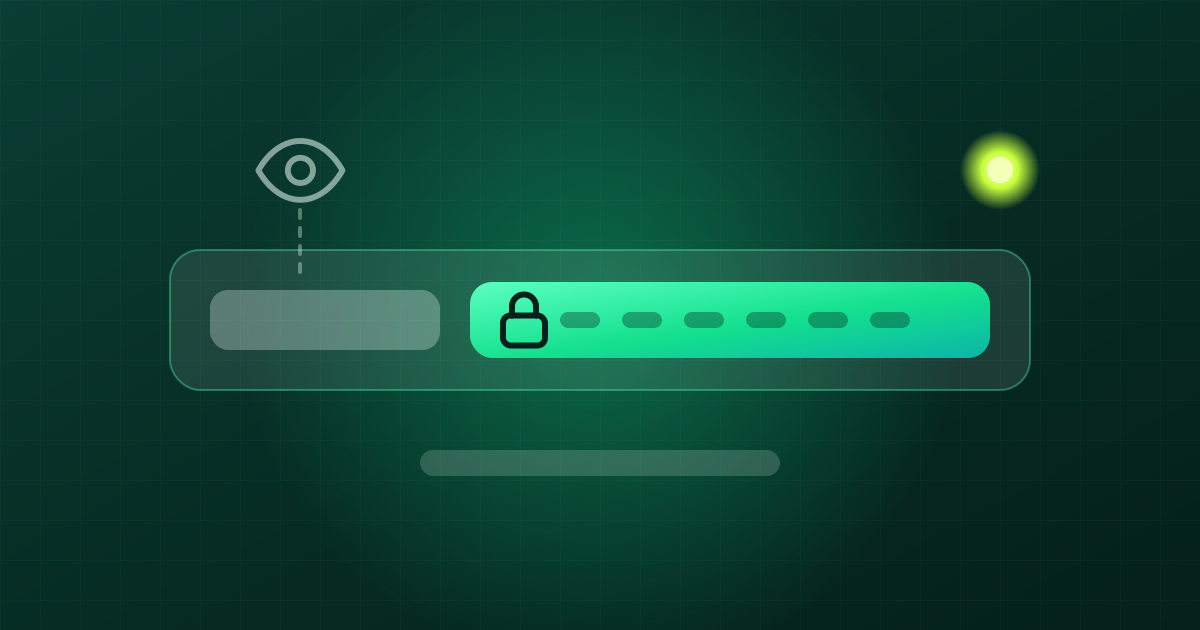
In our post on DPI and SNI, we saw that the site name travels in plain text inside the first HTTPS packet, and that an ISP filter only needs to read that name to block a site. GreenTunnel deals with it by cutting that packet into pieces. There is another, more thorough approach: encrypt the name itself. That is what ECH does. This post explains what ECH is, why it isn't everywhere yet, and how it relates to GreenTunnel.
The problem: HTTPS still leaks the site name
HTTPS encrypts page content, passwords and cookies. But before encryption starts, the browser has to greet the server with a ClientHello packet. That packet carries an SNI field with the domain you want, for example example.com. One IP address often serves thousands of sites, so the server needs the name to pick the right certificate.
Because SNI isn't encrypted, anyone on the path can read it: your ISP, whoever runs a public Wi-Fi network, or a DPI box. They can't see what you read on the site, but they know which site you visit. That is both a privacy gap and an easy handle for blocking.
How ECH works
ECH splits the ClientHello into two layers. The outer layer carries a shared name, the public name, which a hosting provider uses for a large number of sites. The inner layer carries the real site name and the rest of the handshake details, encrypted with the provider's public key. Only the provider's servers hold the private key that opens the inner layer.

- Get the key from DNS. When looking up a domain, the browser also asks for its HTTPS record (also called SVCB, type 65). For a site that supports ECH, this record holds the ECH configuration, including the public key and the shared name.
- Build a two-layer ClientHello. The real name goes into the inner layer and is encrypted. The outer layer only shows the shared name.
- The filter looks. DPI reads the outer SNI and sees only the shared name. Many unrelated sites use that same name, so the filter can't tell which one you are opening.
- The server decrypts. The provider opens the inner layer, reads the real name and finishes the handshake normally. Your browser still checks the site's certificate in full.
If the key is stale or the server rejects it, the protocol can hand the browser a fresh configuration to retry with. You usually won't notice anything.
Who supports ECH
Browsers
Chrome and Firefox turned ECH on by default in 2023, and Chromium-based browsers such as Edge support it too. Firefox uses ECH when DNS over HTTPS is on. Chrome uses it when it can fetch the site's HTTPS record. Support in other browsers, and inside individual mobile apps, varies a lot. Many apps handle connections on their own and don't use ECH yet.
Websites
ECH needs a server that holds the private key and publishes its configuration in DNS. That is easiest for large providers that serve many sites from shared infrastructure. Some big CDNs, Cloudflare for example, offer ECH for the sites they serve. Sites that run their own servers have to deploy it themselves, and most haven't.
Why ECH isn't everywhere yet
- Both sides must take part. If the browser supports ECH but the site doesn't, the name still leaks, and the other way round.
- It depends on DNS. The ECH key arrives through DNS. If DNS isn't encrypted, the ISP can strip the HTTPS record or fake the answer, and the browser never learns that the site has ECH.
- A shared name only helps in a crowd. ECH hides you among all the sites behind one shared name. A self-hosted site with its own public name hides very little.
- Networks can still block ECH. A filter can block the shared name, the HTTPS records, or any connection that looks like ECH. The browser then usually falls back to a connection without ECH, or fails. ECH is not a promise that a site will open.
- Managed devices. Some company firewalls need to read SNI to filter traffic, so some browsers let administrators turn ECH off.
ECH and GreenTunnel work together
Encrypted DNS keeps ECH working
With GreenTunnel on, every DNS lookup on your device goes over encrypted DNS to the server you chose. GreenTunnel keeps HTTPS records in the answers instead of filtering them out. So your ISP can't strip the ECH key on the way, and the browser has what it needs to use ECH with sites that support it.
Splitting covers the rest
For sites without ECH, the name is still in plain text. That is where GreenTunnel's TLS record split cuts the first packet so the filter can't read the whole name. In "All secure sites" mode, GreenTunnel applies a light split to every HTTPS connection, including ECH ones. That is harmless, because the server joins the pieces back together as the standard requires.
In short: ECH is the long-term fix at the protocol level, and splitting is what works today for every site. You don't have to pick one.
What you can do
- Keep your browser up to date. Current versions of Chrome, Edge and Firefox support ECH.
- Keep DNS encrypted. Turning GreenTunnel on is enough, since encrypted DNS always runs while the VPN is on. If you use Firefox on its own, turn on DNS over HTTPS in Firefox's settings.
- Check whether ECH is in use. Open
https://crypto.cloudflare.com/cdn-cgi/traceand look for thesni=line.encryptedmeans ECH was used for that site,plaintextmeans it wasn't. - Don't treat ECH as a master key. If a site still won't open, run Inspect URL to find out how your network blocks it.
- Leave QUIC blocking on. Browsers can use ECH over HTTP/3 too, but GreenTunnel blocks QUIC by default so connections fall back to TCP, where splitting works. See our post on QUIC.
FAQ
Is ECH the same as ESNI?
ESNI was an older experiment that encrypted only the SNI field. ECH replaces it and encrypts most of the ClientHello, so it hides more and is harder to fingerprint.
If ECH exists, do I still need GreenTunnel?
Yes. Many sites don't use ECH yet, and ECH needs clean DNS to get its key. GreenTunnel provides encrypted DNS for every app, splits packets for sites without ECH, and adds your block list, Requester and Inspect URL.
Can GreenTunnel read the site name inside ECH?
No. GreenTunnel doesn't decrypt HTTPS and doesn't have the provider's key. It only sees what passes through your device: the outer layer of the packet and the domains your own device looks up via DNS. All of it stays on your device. We never collect browsing content, domains or traffic.
Why does the test page say plaintext on a new Chrome?
The browser may not have received the HTTPS record, for example because your ISP's DNS dropped it, or your network may block ECH. Turn GreenTunnel on and reload the page. If it still says plaintext, your network or browser can't use ECH right now, and splitting remains your line of defence.